Track what comes in and what goes out, see every bill before it's due, and keep each month inside the budget you set — in one calm app that lives on your iPhone, iPad and Mac.
Free download · No account needed · Requires iOS 18 or later
Clarity, not spreadsheets
Most finance apps tell you what already happened. Quartzo also shows what's coming — the bills due this week, the subscriptions that renew tomorrow, and how the month will end at the pace you're going.
How it's organized
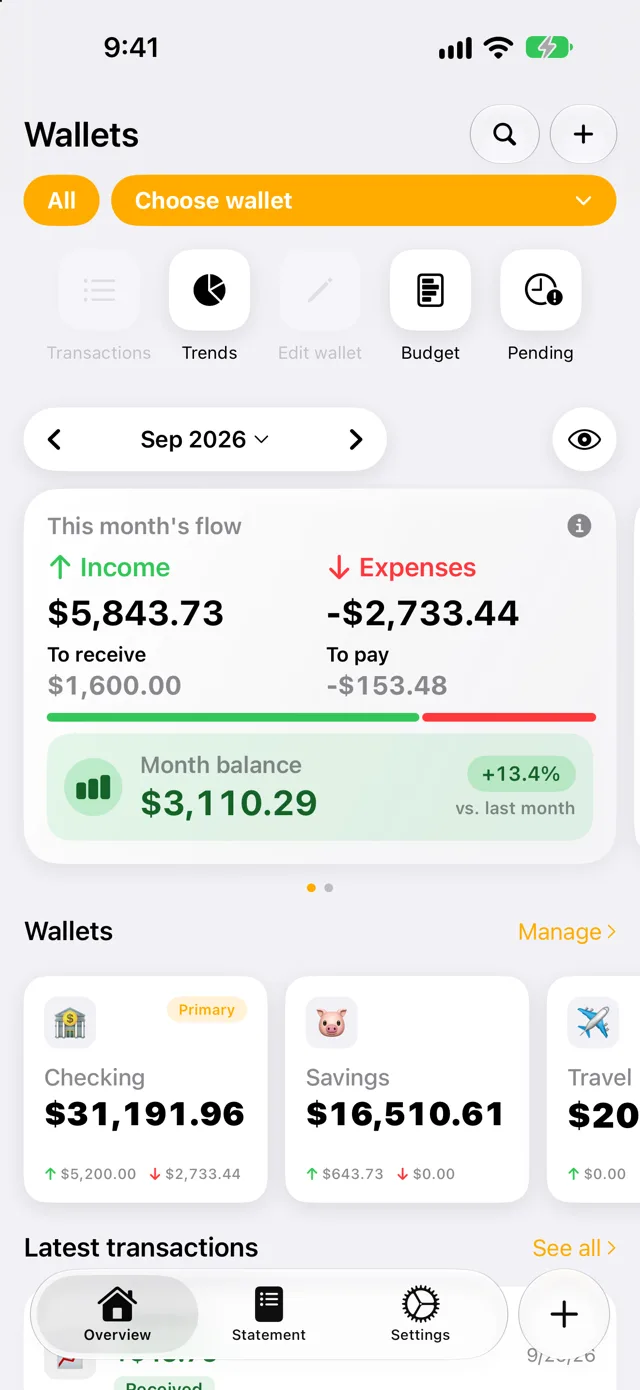
No accounting jargon. Your money lives in wallets, each transaction gets a category, budgets set the limits, and bills tell you what's ahead.
Checking, savings, travel, home — each with its own balance and currency, plus an “All” view that adds everything up.
Groceries, Dining, Transport… with an emoji each, so you read your spending at a glance.
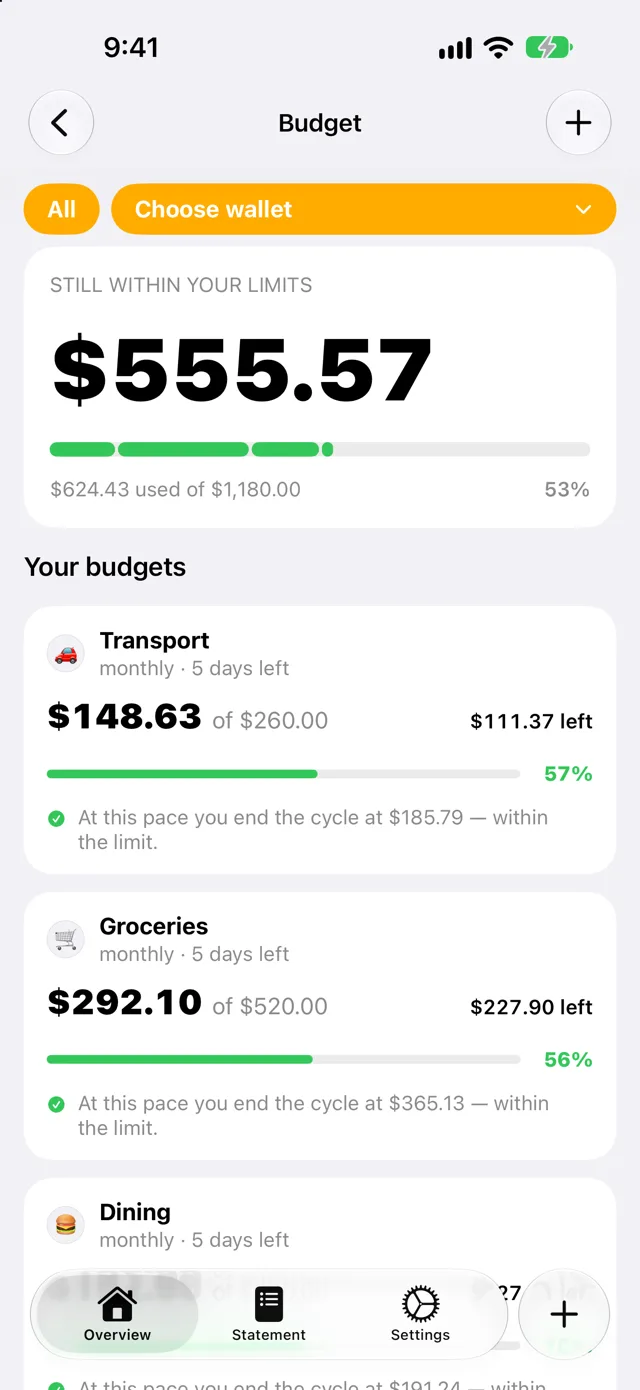
A monthly limit per category, with a forecast of where you'll land at your current pace.
Recurring payments, installments and one-off bills, ordered by when the money actually leaves.
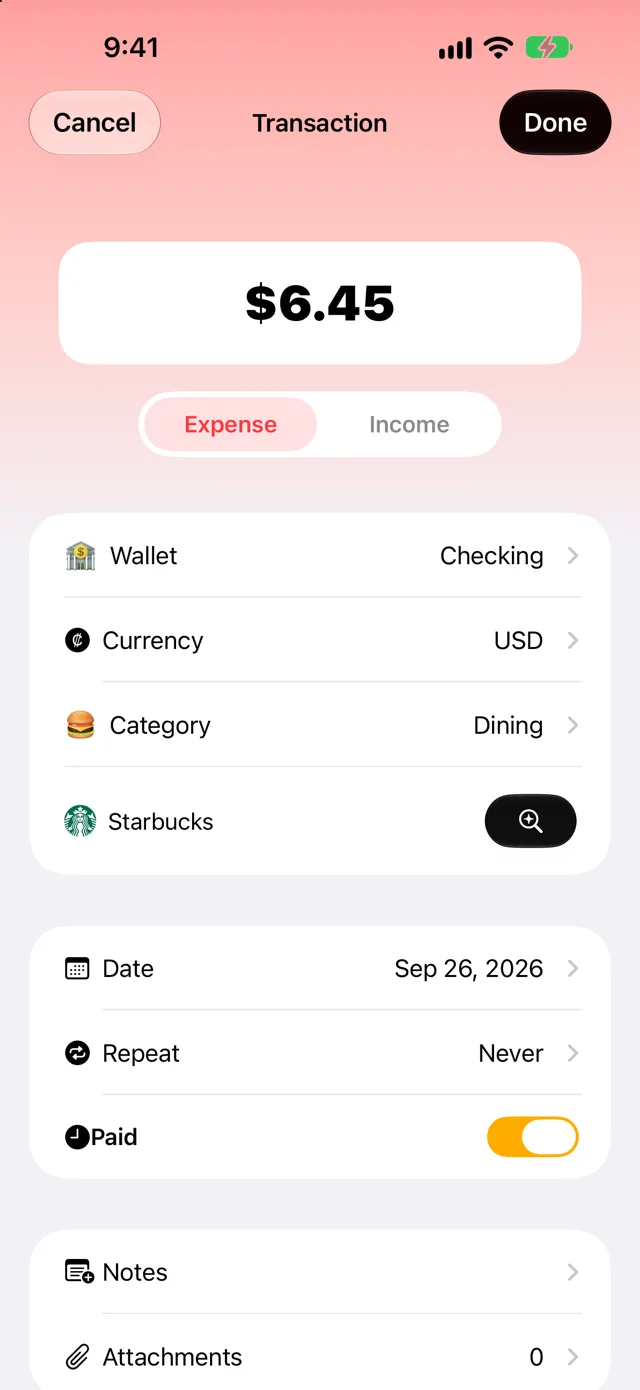
The amount comes first, big and in focus. Pick expense or income, and Quartzo remembers your usual wallet and currency, so most entries are just a number and a tap.
Made for real months.
The coffee on the way to work, the rent on the 10th, the subscription you forgot you had.
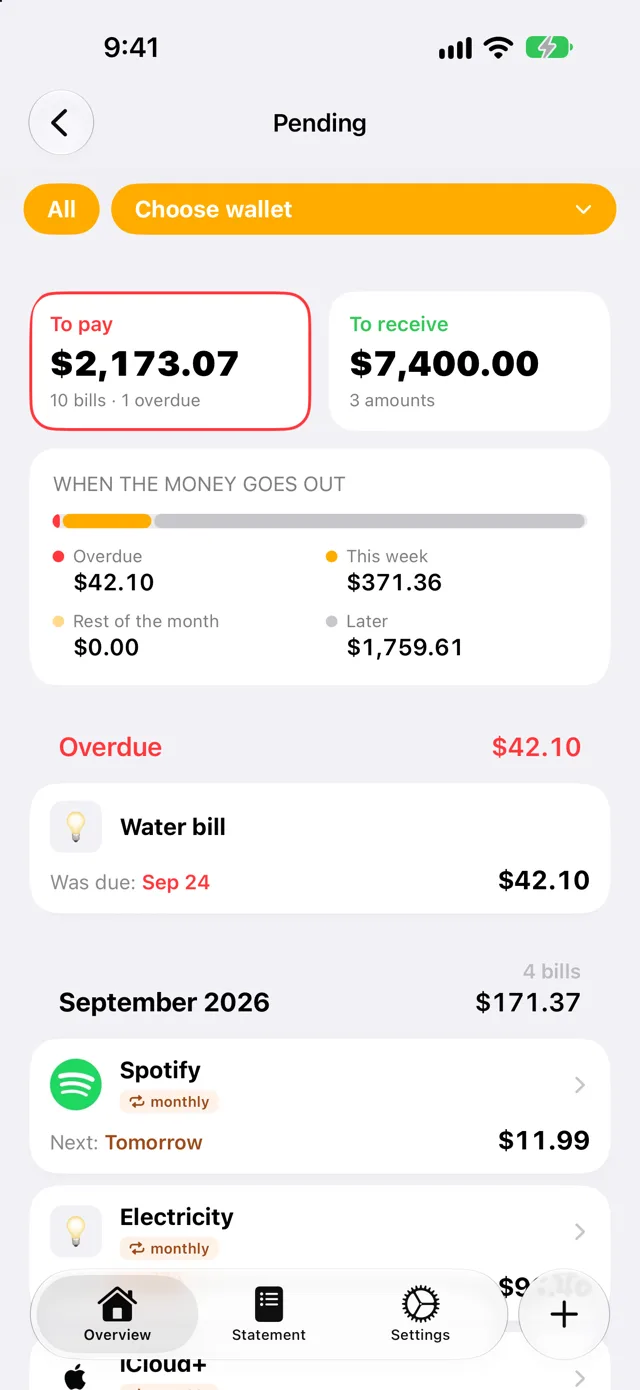
Everything you still have to pay or receive, in one place. Quartzo groups it by when the money goes out — overdue, this week, the rest of the month, later — so nothing sneaks up on you.
Set how much you want to spend on groceries, dining or transport each month. Quartzo shows what's left and projects where you'll end the cycle — before you go over, not after.
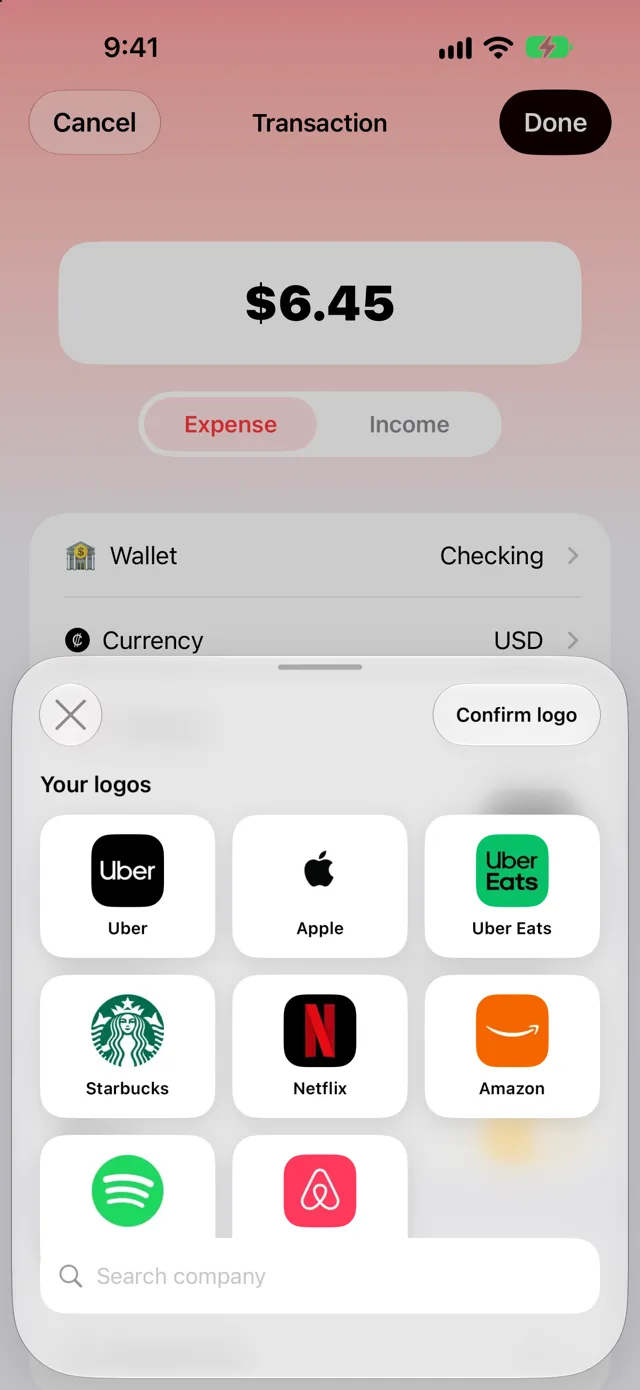
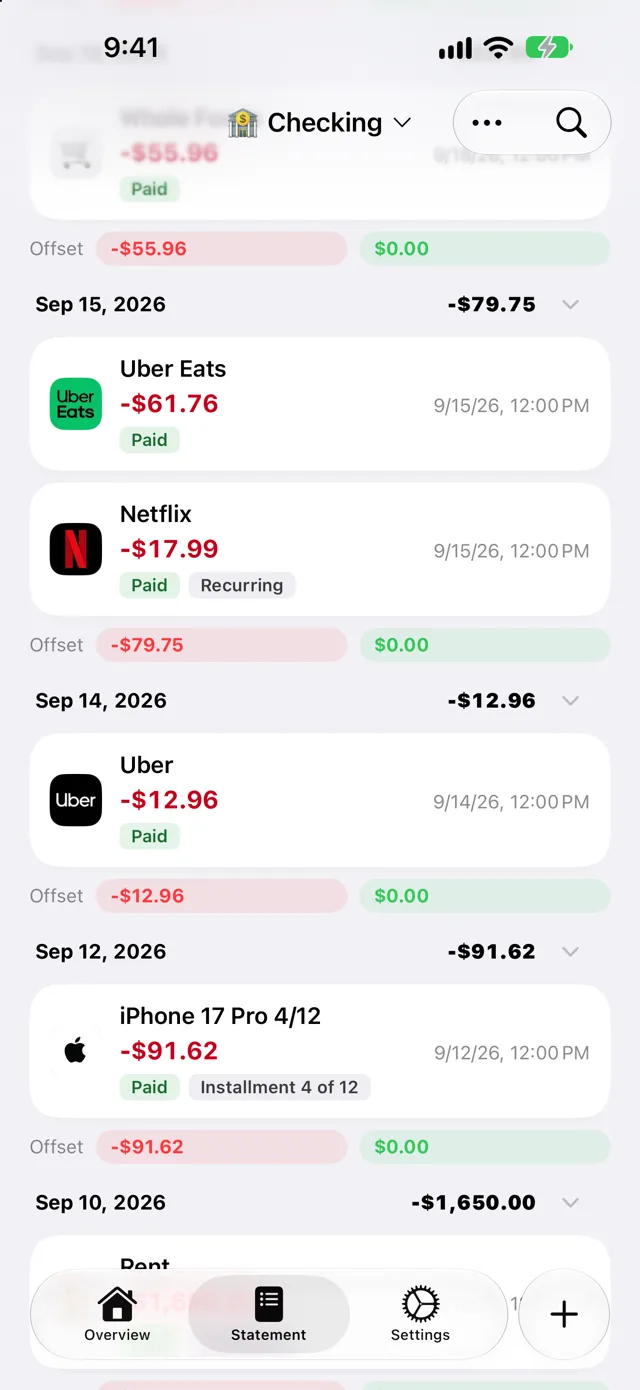
Search for the company and Quartzo puts its logo on the transaction. Your statement stops being a wall of text and starts looking like your life: the coffee, the ride, the streaming service.
Everything you need
Spent in euros on a trip? Log it in euros. Quartzo converts it to the wallet's currency with up-to-date exchange rates.
Every transaction by day, with daily totals and tags for paid, recurring and installment.
Find any transaction by name, category or note — across all your wallets.
Snap a photo of the receipt or pick a file. It's stored with the transaction, in your iCloud.
Choose a reminder when you create a bill — on the day, or days before. Only for the bills you mark.
One tap blurs the numbers, for when you open the app with someone looking over your shoulder.
Income, expenses, what's still to receive and to pay, and the balance compared to last month.
Export a full backup of your data whenever you want, and restore it on any device.
Available in English, Spanish and Portuguese, with your local currency and date formats.
Why it works
Money stress rarely comes from one big expense. It comes from many small ones you didn't notice, and the bills you didn't see coming. Quartzo makes both visible — and that alone changes how you spend.
Trends
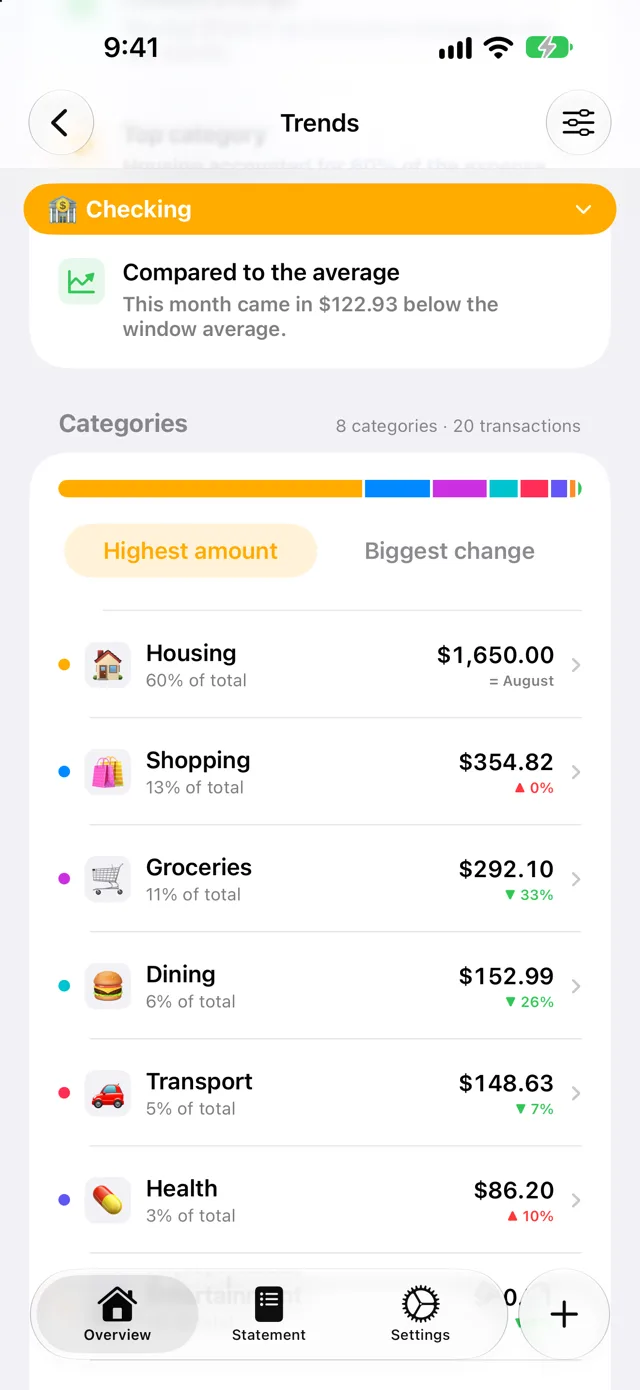
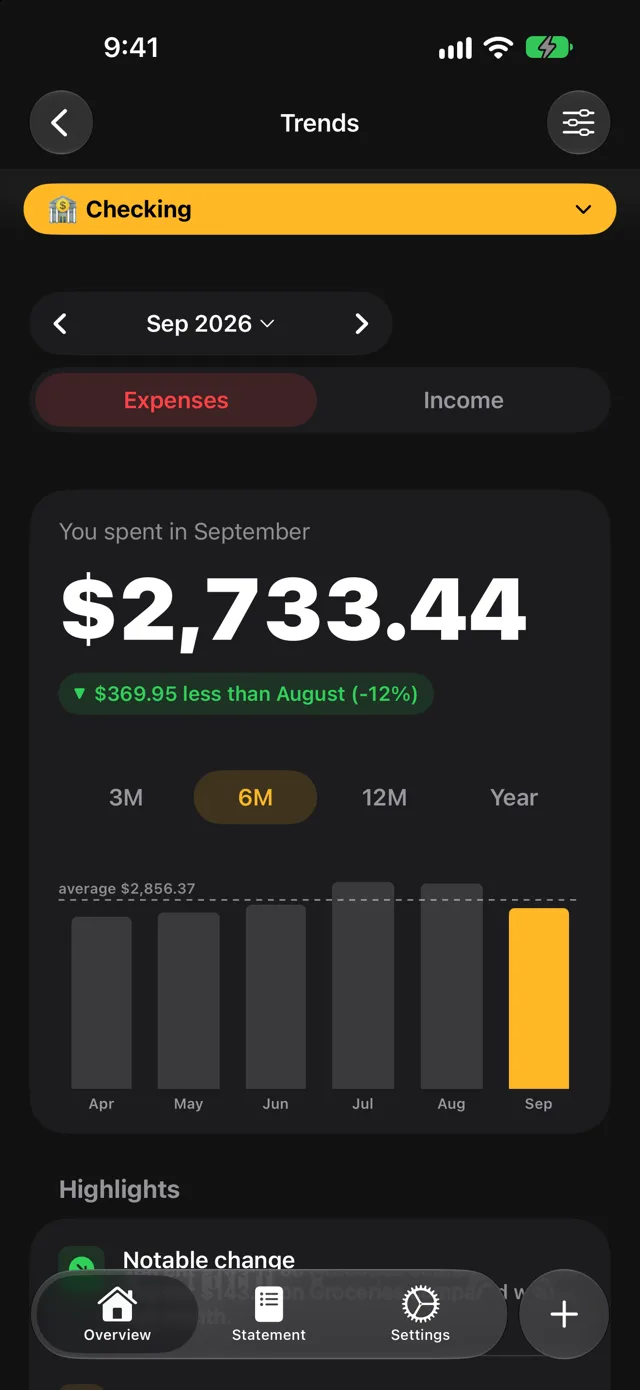
How much you spent this month, how it compares to last month and to your average, and which categories moved the most. Quartzo points out what changed so you don't have to dig for it.
Widgets & Shortcuts
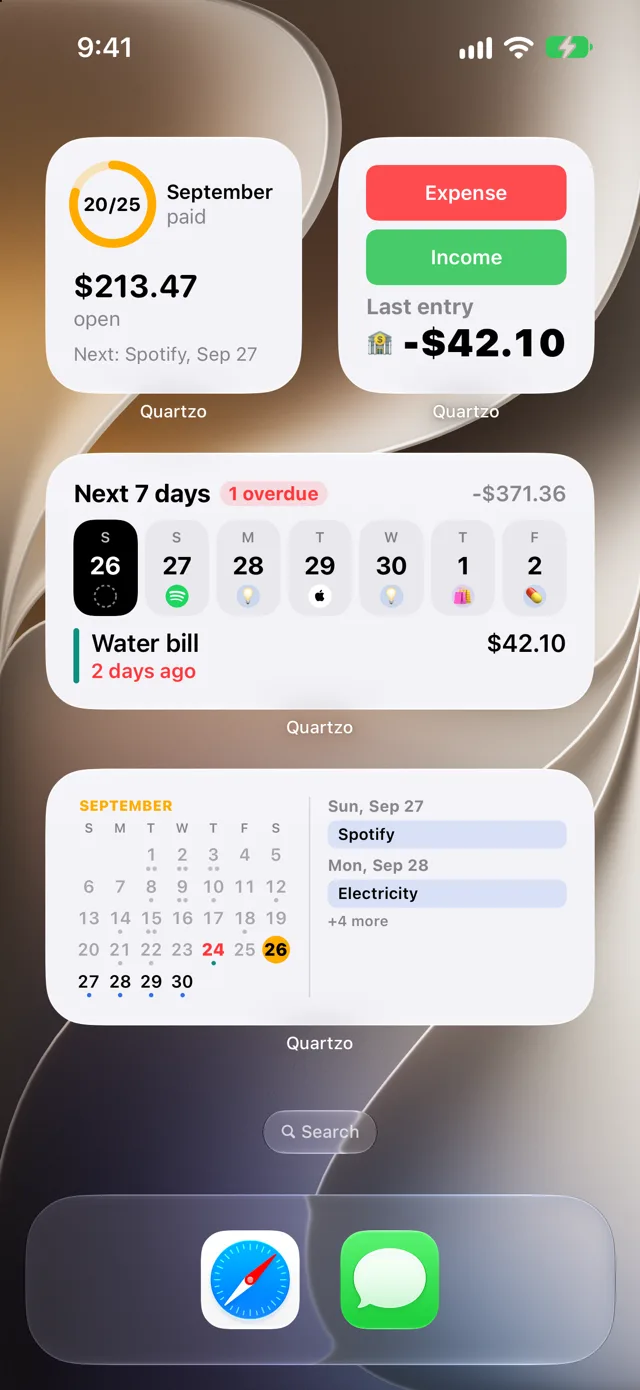
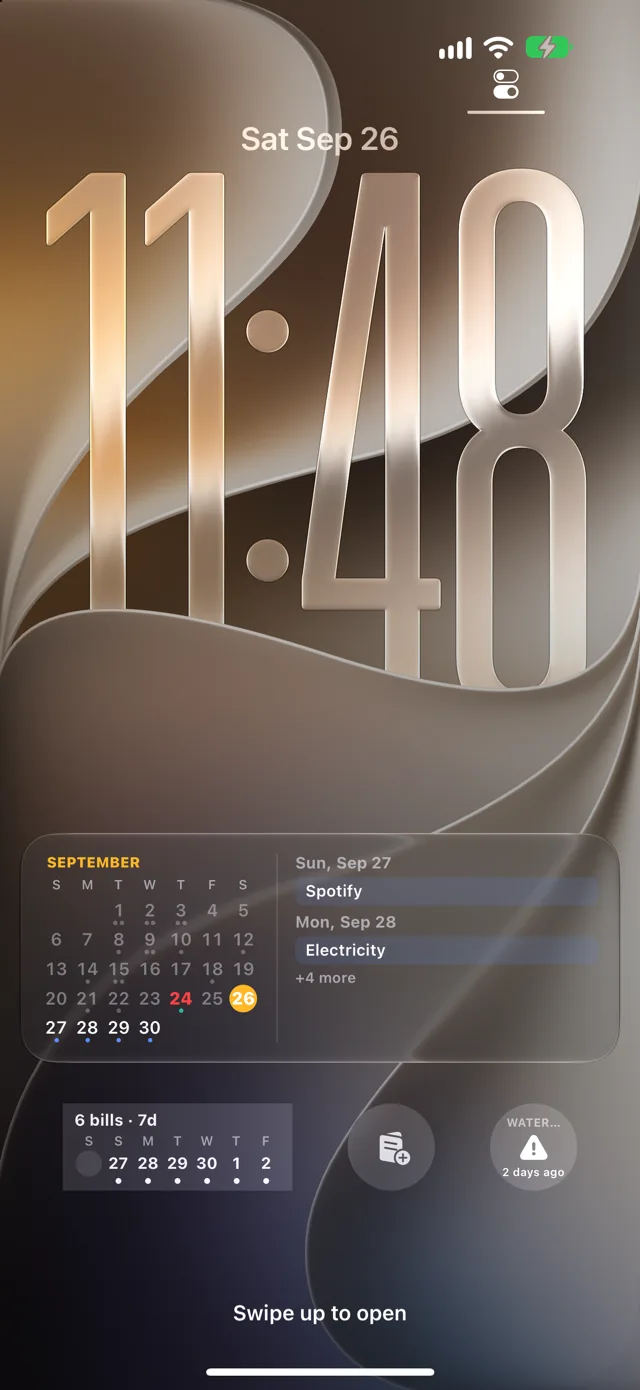
See what's due this week on your Home Screen, keep the bills calendar on your Lock Screen, and log an expense with one tap — or just by asking Siri.
Home Screen
Month summary, next 7 days, calendar and quick entry — in every size.
Lock Screen
Upcoming and overdue bills one glance away, even before you unlock.
Quartzo plugs into Siri and the Shortcuts app. Log a transaction, check a wallet balance, or find out how much you've spent this month — without touching the screen.
“Add a new transaction in Quartzo”
“What's my balance in Quartzo?”
“How much did I spend this month in Quartzo?”
“Show the bills calendar in Quartzo”
Set up a Shortcuts automation once and every Apple Pay purchase is recorded in Quartzo with the merchant and amount filled in. Quartzo walks you through it, step by step, inside the app.
On Mac & iPad
Quartzo is a native Mac app, not a stretched phone screen: a sidebar, tables you can sort, multiple windows and a full menu bar with keyboard shortcuts. Do the monthly review comfortably, then check in from your iPhone on the go.
Statement, pending and recurring payments in sortable tables with summary strips on top.
Open a wallet or a transaction in its own window and keep them side by side.
What you log on the iPhone shows up on the Mac and iPad, through your iCloud.
Keyboard shortcuts
Quartzo Pro
The essentials are free, with unlimited transactions. Pro removes the limits and adds the extras — and supports an independent developer.
Unlimited wallets, categories and budgets.
Require Face ID or Touch ID every time Quartzo opens.
Keep the month's bills calendar as a Live Activity on the Lock Screen.
Pro is available as an in-app purchase. All future features are included.
iCloud Sync
Log the coffee on your iPhone, review the month on your Mac. Quartzo syncs through your own private iCloud — no sign-up, no password to remember. Set up a new device and your wallets and categories are already there.
FAQ
No. There is nothing to sign up for. Open the app and start logging; your data syncs through your own iCloud.
No. Quartzo never asks for your bank password and has no open-banking connection. You decide what goes in.
On your devices and in your private iCloud account, so the developer cannot see it. Anonymous usage statistics and crash reports never include your financial records.
iPhone and iPad (iOS 18 or later) and Mac (macOS 26 or later). Everything stays in sync through iCloud.
Yes. The app is a free download with unlimited transactions. The free plan includes up to 2 wallets, 9 categories and 1 budget; Quartzo Pro, an in-app purchase, removes those limits and adds the Face ID lock, the Lock Screen bills calendar, all trend insights and Apple Pay automations.
Yes, and it is free. Add recurring payments and installments, get reminders before each due date and see upcoming bills in Home Screen widgets.
Yes. Log transactions in different currencies and keep wallets in each one, with exchange rates downloaded automatically.
Yes. Quartzo has Home Screen and Lock Screen widgets, and you can add expenses with Siri or Shortcuts. They are included in the free plan.
Privacy by design
Quartzo never asks for your bank password and never connects to your bank. There's no account to create. What you log stays on your devices and in your iCloud.
Transactions, wallets and receipts sync through your private iCloud account. We can't see them.
You decide what goes in. No bank logins, no open-banking connections, nothing reading your accounts.
Hide balances with a tap, or lock the whole app behind Face ID or Touch ID.
Read the full Privacy Policy.
Free to download. Free to use. Pro when you need more. Available on iPhone, iPad and Mac, in English, Spanish and Portuguese.
Requires iOS 18 or later · macOS 26 or later on Mac